Posts

Showing posts with the label sharepoint designer

Can't Connect to SharePoint Designer OR can't query GetUserProfileByName Web Service

Image
We were getting an issue on one of our Test Server WFE's where we were having two issues: - If you were trying to load an InfoPath form that contained a connection to the GetUserProfileByName Web Service, it would fail. - If you tried to connect to the site via SharePoint Designer, it would error out. SO!  If you get any of the following issues: In SP Designer: "The server could not complete your request.  For more specific information, click the Details button." "An error occurred while trying to fetch data from your SharePoint site.  Unexpected response from the server.  The content type of the response is "", The status code is "OK"." On an InfoPath Form: "There has been an error while processing the form.  An error occurred while trying to connect to a Web service" In SharePoint Logs: "The following query failed: GetUserProfileByName (User: xx\username, Form Name: Template, IP: , Connection Target:...
SharePoint 2013 - Displaying Multiple Rows of Links w/ Promoted Links Web Part

If you're like me and needed to have quite a few tiles in your Promoted Links Web Part, this should come in handy. I've seen options to install custom solutions, and i've seen options to add a javascript file to the web part to force it to go to a new line. Custom solutions?  meh. Seperate 76kb javascript file?  meh. Use what you've been given my friends; and make it simple for your siblings to see how it works. It's not entirely a simple solution, but when completed I think it is the most elegant/clean solution.  Create two Promoted Links Web Parts underneath each other and use two separate Tile Views to display everything you need.  The only way I could find to create another Tile view was to use SharePoint Designer. Navigate to list in SharePoint Designer 2013 Create new view Copy CAML Query from original Tile View to new Tile view.  Copy This Bit (Make sure you keep the old view name, display name, url): <XmlDefinition><View Name=...

SharePoint 2013 - Responsive Design

G'day,        Just a quick note to say if you haven't heard of it already, then you should check out this solution on CodePlex that is absolutely awesome:  http://responsivesharepoint.codeplex.com/ What it contains: - Responsive resizeable Master Pages & Page Layouts for SharePoint 2013 that work with Twitter's Bootstrap CSS. - Responsive resizeable Master Pages & Pages Layouts for SharePoint 2013 that work with Zurb's Foundation CSS. I've tried both briefly but so far prefer the Bootstrap version for the font types and colours.  Although I most of us will be making modifications to suit the clients that we are working with, they are a great starting point to Responsive Design for SharePoint that have been designed very well. If you don't have time to build your own solution from scratch, this is the perfect starting point to build on top of.  Congratulations and thank you to all who have worked on the project so far! More...

SharePoint 2010 - Publishing Site 'Pages Library' no-no

Earlier today I wanted to modify the address of the 'Pages' library on a SharePoint 2010 site.  The reason behind this was to make the naming of the folders more user friendly for our developers who would be deploying reports there. There wasn't a way to do it from the standard GUI, so I decided to modify it in SharePoint Designer (Hey, if SP Designer allows you to do it via GUI, it's safe right? ... right!?). Bad move, as there's some behind the scenes magic that must be hard-coded to the Pages URL, which breaks the Navigation Settings page (this one: http://[sitecollection]/_layouts/AreaNavigationSettings.aspx). 'An Unknown Error has Occurred' - Great.. I'm sure there would be a way around it, but for the sake of saving a few hours of investigation, don't change the name of your Pages Library! Ciao ciao!

SharePoint 2010 - List View Threshold

Image
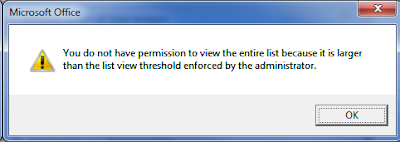
Any well utilised SharePoint farm will hit this limit at one point or another, the annoying but not hard to resolve LIST VIEW THRESHOLD ISSUE!!!!!! If you're on the ball, you'll know to cater for this when first creating a list you know is going to be quite popular with the lads.  This involves creating indexed columns, and creating views that filter on the indexed columns. But woe to those who wait for the dreadful message to appear, and also to those who prepared for it, but it is still occurring anyway.   WHHHHHHYYYYYYYYYYYYYYYYYYY!!!!!!!!!!!!.... STOP!  CAML TIME! Well it's because when you modify a view using the SharePoint GUI, and you filter on a indexed column and maybe a few others, SharePoint turns your filters & options into a CAML query, and if that query contained a few different column filters, SharePoint occasionally doesn't render the CAML query in a manner that ensures you are always querying less than the List View Threshold! OH N...

SharePoint 2010 - "XsltListViewWebPart" Web Part appears to be causing a problem

Image
Here's an error message I received a few weeks back from a user who was having trouble accessing a page: Strange... Anyhow, my first thought was - Faulty Web Part - so made my way to SharePoint Designer to fix/remove the web part from the page, only to find that I was unable to connect to any sites on the entire Web Application! Here's the Error I was receiving when trying to access SharePoint Designer: "An error occurred while trying to fetch data from your SharePoint site. Attempted to read or write protected memory. This is often an indication that other memory is corrupt" Now I'm thinking 'oh shit..' well not to worry, all I needed to do was a simple IISRESET and the issue was resolved.