Posts

Showing posts with the label Office365

PowerApps - Default SharePoint People Picker Field To Be Logged In User

Image
What When you're building a PowerApp connected to a SharePoint List Form and you would like to capture the details of the person who is filling out the form. Why I understand that this is already captured via the 'Created By' SharePoint System field, but sometimes customers like to capture requestor name, phone, etc on the form itself rather than having to go to SharePoint to view it all. Assumptions: You've already created a PowerApp and added a 'Form' Control that uses a SharePoint List as a Data Source. Your SharePoint List contains a People Picker Field How To pull back details about users, add another Data Source: View  Tab > Data Sources > Add Data Source > Office 365 Users Click on the Card in the form that contains your People Picker Field Go To Advanced and click 'Unlock to change properties' so that you can select the field itself Click on the People Picker Field itself, then select the 'Default'...
MS Ignite - Office 365 Groups Overview, Administration and Roadmap (PRD313)

Session Takeaways: By default any user can create a Office 365 group When a group is created, a container is provisioned to allow staff to collaborate using the office apps of their choice.  This saves waiting for multiple IT teams to provision team sites and distribution groups. Provides business users with an instant way to set up a new project and share information. Enables the end-user a choice of platform without being pigeonholed onto a prescribed application. Groups allow staff who get late access, the ability to see all of the past conversation that has happened.  unlike email distribution groups where the conversation is lost in individual mailboxes.  This will save time having to catch up and save having to ask the same questions if you're new to a project. Can Insta-videocall all members of an O365 Group using Skype for business.  Can also start writing up meeting notes straight away within a call Groups integrate with power BI and Dynamics CRM. ...

Microsoft Ignite Australia - 17th-20th November

Image
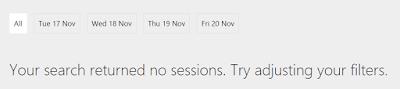
Next week I'm heading to the MS Ignite conference in the Gold Coast and thought I'd sign up to some sessions & get my schedule ready today. Looking through the sessions, there were two things that stood out to me: A lack of SharePoint sessions A very developer-heavy list of sessions The first is surprising because SharePoint 2016 preview just came out and I'm not sure anyone is really doing a deep-dive session on it.  Here's what happened when I tried to filter for SharePoint sessions :S: The second surprise around the mass amounts of developer sessions is because I'm used to Tech Ed events in previous years where they catered for all levels & occupations. Anyone from C-Class (CIO/CEO) down to developer scrubs that want super detail could enjoy the event.  Now I'm not so sure that's the case. The truth is, it's not that surprising.  For a long time now we've watched Microsoft ramp up it's O365/Azure capabilities to match e...