Posts

Showing posts with the label CAML

SharePoint 2013 - Displaying Multiple Rows of Links w/ Promoted Links Web Part

If you're like me and needed to have quite a few tiles in your Promoted Links Web Part, this should come in handy. I've seen options to install custom solutions, and i've seen options to add a javascript file to the web part to force it to go to a new line. Custom solutions?  meh. Seperate 76kb javascript file?  meh. Use what you've been given my friends; and make it simple for your siblings to see how it works. It's not entirely a simple solution, but when completed I think it is the most elegant/clean solution.  Create two Promoted Links Web Parts underneath each other and use two separate Tile Views to display everything you need.  The only way I could find to create another Tile view was to use SharePoint Designer. Navigate to list in SharePoint Designer 2013 Create new view Copy CAML Query from original Tile View to new Tile view.  Copy This Bit (Make sure you keep the old view name, display name, url): <XmlDefinition><View Name=...
SharePoint 2010 - When [Today] just isn't your day

Sometimes your SharePoint environment doesn't want to play ball with OOTB features, so if you like me have once had an issue with the [Today] option not working on list filters, here is the slower but successful way of getting it to work: Create the view using CAML Query in SharePoint Designer 2010. The CAML equivalent of [Today] is: <Value Type="DateTime"><Today/></Value> Or if you want to be a few days ahead or behind today <Value Type="DateTime"><Today OffsetDays="-31"/></Value> Cheers, The Baretta

SharePoint 2010 - List View Threshold

Image
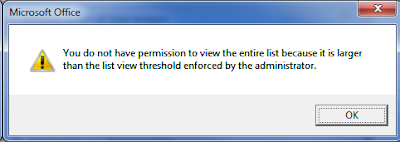
Any well utilised SharePoint farm will hit this limit at one point or another, the annoying but not hard to resolve LIST VIEW THRESHOLD ISSUE!!!!!! If you're on the ball, you'll know to cater for this when first creating a list you know is going to be quite popular with the lads.  This involves creating indexed columns, and creating views that filter on the indexed columns. But woe to those who wait for the dreadful message to appear, and also to those who prepared for it, but it is still occurring anyway.   WHHHHHHYYYYYYYYYYYYYYYYYYY!!!!!!!!!!!!.... STOP!  CAML TIME! Well it's because when you modify a view using the SharePoint GUI, and you filter on a indexed column and maybe a few others, SharePoint turns your filters & options into a CAML query, and if that query contained a few different column filters, SharePoint occasionally doesn't render the CAML query in a manner that ensures you are always querying less than the List View Threshold! OH N...